Free Fire Advance Server Activation Code Guide
An activation code is required for most Free Fire Advance Server testing cycles. This guide explains how activation codes work, who receives them, how to activate your account, and how to solve common activation issues.
- Last Updated
Last updated: September 2026 · Reviewed for OB54 · Independent informational site (not Garena)
Quick Answer
- What is an activation code?
- It is a unique access key that most Advance Server cycles require after installation to verify a selected account before allowing login.
- Who receives one?
- Only selected accounts for the current cycle — activation is currently Yes for V68.54.0. Registering does not guarantee a code.
- Where do I find my activation code?
- Check the official Advance Server portal at https://ff-advance.ff.garena.com/ while signed in with your registered account — codes are issued by Garena, not by this site.
- Can I purchase or share a code?
- No. Buying or sharing activation codes is unsafe and against the official process — codes are tied to individually selected accounts.
- Is registration enough without a code?
- Usually no. For most cycles, registration alone does not unlock login — you also need the activation code issued after selection.
What Is an Activation Code?
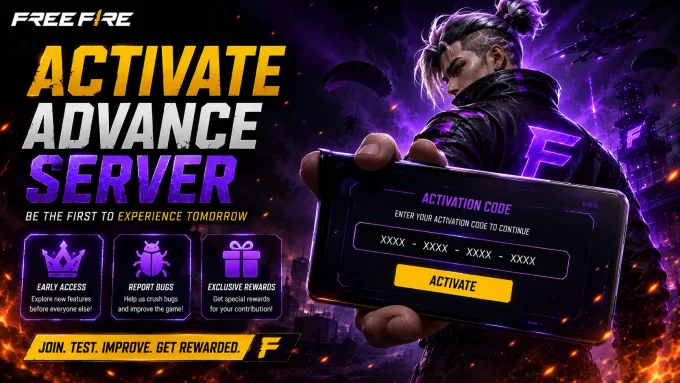
An activation code is a unique key Garena issues to selected accounts during most Free Fire Advance Server cycles. After installing the APK, entering the code verifies that your account was approved for that testing window and unlocks login. Registration alone does not guarantee a code — selection and distribution happen separately, later in the cycle.
Current Cycle Status
Confirmed registration and activation details for the active Advance Server cycle.
- Registration
- Closed
- Activation Required
- Yes
- Current Version
- V68.54.0
- Last Updated
- September 2026
What Is an Activation Code?
An activation code is a unique access key used in most Free Fire Advance Server testing cycles. After you install the Advance Server APK, the code verifies that your account was selected for the beta and allows login to Garena's limited testing environment.
Garena uses activation codes to control who can enter each Advance Server window. Unlike the standard Free Fire client, Advance Server access is temporary and limited, so codes help keep testing capacity focused on approved participants.
Not every player automatically receives a code. Registration submits your interest, but selection and code distribution usually happen later. Some accounts may be approved for a cycle while others wait for a future OB release.
Registration and activation are related but different steps. Registration is how you apply through the official portal. Activation is how an approved account unlocks the Advance Server after the APK is installed. Completing registration alone does not always grant immediate login access.
Why Is an Activation Code Required?
Advance Server testing is a limited beta program. Garena opens access only for selected players so new features, balance changes, and experimental content can be evaluated before a global release.
Server capacity is another reason codes matter. Unlimited public access could overload testing servers, reduce stability, and make it harder to collect reliable bug reports during short testing windows.
Controlled testing also improves feedback quality. When participants are selected and verified, developers can better review reports, reproduce issues, and decide which experimental features move forward.
Activation codes support fairer distribution across cycles. They reduce unauthorized installs, discourage unofficial sharing of private builds, and help keep each OB testing period tied to official registration and selection rules.
How to Get an Activation Code
Use this process during an active Advance Server cycle. Exact timing depends on Garena's registration and selection schedule.
-
Register
Complete Advance Server registration through the official portal while registration is open.
-
Wait for Selection
After registration closes or review begins, Garena prepares eligible accounts for the testing phase.
-
Check Official Portal
Monitor official channels and the registration portal for activation details tied to your account.
-
Receive Code
If selected for the cycle, receive your activation code through the official distribution method for that release.
-
Activate Account
Download the correct APK, log in, and use the code to unlock Advance Server access when prompted.
When Are Activation Codes Released?
Activation codes are usually released after registration closes and selection is underway for the current testing cycle. Distribution is not always immediate at the moment you submit your registration form.
Timing depends on each OB release. Some cycles issue codes shortly after registration ends, while others wait until the Advance Server APK is ready for approved players.
Availability can also vary by region, account status, and the needs of that specific beta window. Always check official announcements and this site's Latest OB Update page before assuming a code should already be available.
-
Registration Opens
Players can submit applications through the official portal.
-
Registration Closes
New registrations stop for the current testing cycle.
-
APK Download
The Advance Server APK becomes available for approved participants.
-
Testing Starts
Players can log in, activate, and begin beta testing.
How to Activate Your Account
Follow these steps after you are selected for the current cycle. Exact login screens may vary depending on the testing release.
-
Register
Complete official Advance Server registration while the window is open.
-
Receive activation code
Wait for your code if the cycle requires activation after selection.
-
Download APK
Install the Advance Server APK that matches the current OB version.
-
Log in
Open the app and sign in with the same account used for registration.
-
Enter the server
Enter your activation code when prompted, then access the testing environment.
Common Activation Problems
These are the activation issues players hit most often during Advance Server testing cycles.
-
Activation Code Not Received
This is normal early on — codes are issued after selection, not instantly at signup.
Codes are often issued after selection, not instantly at signup. Confirm registration success and wait for the official distribution window for the current cycle.
Read Full Solution -
Invalid Activation Code
Recheck for typos and confirm the code matches your account and the current testing cycle.
Invalid codes may be mistyped, tied to a different account, or meant for another testing cycle. Recheck the code and confirm you installed the matching APK.
Learn More -
Activation Code Expired
Wait for the next cycle — codes from a closed testing window generally stop working.
Older codes usually stop working after a testing period ends. Download the latest cycle details and wait for a new code if registration opens again.
Learn More -
Already Used
Reusing a spent code typically fails — most activation codes are single-use per account.
Most activation codes are single-use and bound to one account or device flow. Reusing a spent code typically fails even if registration was approved.
Learn More -
Login Without Activation
Get the official code first — registration alone is not enough when activation is required.
If the app asks for activation, registration alone is not enough for that cycle. Obtain the official code before retrying Advance Server login.
Learn More -
Registration Approved but No Code
Check official channels — approval and code delivery do not always happen at the same time.
Approval and code delivery are not always simultaneous. Check official channels for the current OB release and avoid unofficial code sellers or generators.
Learn More
How Testers Earn Diamonds During OB54 Advance Server
One legitimate reason players join the Advance Server is Garena’s bug-feedback path. When a testing window is open, selected players can explore new content, document real issues, and submit reports through official in-app or portal tools. Useful unique reports may be rewarded with diamonds on the main Free Fire account after review — amounts and timing are set by Garena for each cycle.
-
Play the current testing build
Install the matching Advance Server APK, activate if required, then explore new modes, characters, weapons, UI changes, and maps tied to the cycle.
-
Capture reproducible issues
Note crashes, broken abilities, map collision errors, UI freezes, audio glitches, and anything you can reproduce with clear steps — vague “game laggy” notes are usually less useful.
-
Submit through official report tools
Use the in-game bug / feedback option while the server is online, or follow instructions on Garena’s Advance Server portal (https://ff-advance.ff.garena.com/). Include UID, device model, steps to reproduce, and screenshots or short video when possible.
-
Wait for review
Garena reviews reports after submission. Duplicate, incomplete, or already-known issues often earn nothing. Verified unique reports may be rewarded later on your main account — not inside Advance Server inventory.
What a useful report usually includes
- Clear description What broke, where it happened, and what you expected instead.
- Steps to reproduce Exact sequence another tester (or Garena) can follow to see the same bug.
- Account & device context Advance Server UID, device model, and Android version help triage.
- Evidence Screenshots or short clips beat text-only claims when the issue is visual or intermittent.
What about diamond amounts?
Public sites often publish fixed “minor / major = X–Y diamonds” tables. Garena does not guarantee those third-party numbers for every OB cycle.
What we can say safely: verified unique bugs may earn diamonds on the live account; reward size depends on report quality, uniqueness, and Garena’s review for that window; duplicates and incomplete reports usually get nothing.
Treat any viral list of guaranteed diamond payouts as marketing — confirm guidance inside the official Advance Server client or portal for your cycle.
Security Tips
Key Takeaways
- Activation is currently yes for V68.54.0 — confirm this before expecting a code.
- Codes are issued to selected accounts after registration review, not automatically at signup.
- Never buy, sell, share, or trust public “free code” lists — legitimate codes are private to approved accounts.
- Useful unique bug reports may earn diamonds on your main account after Garena’s review; amounts are not a fixed public table.
- An activation code from one OB cycle does not carry over or remain valid for a later testing window.
- Registration and activation are two separate steps — completing one does not guarantee the other.
Frequently Asked Questions
What is an activation code?
Is the activation code free?
Does every player receive one?
Can I buy an activation code?
What if my code doesn't work?
Can I reuse an old code?
Can I share my activation code?
Are public free activation code lists real?
Can bug reports earn diamonds?
Do I need a code every OB update?
Is registration enough?
Where can I check my activation status?
Does activation carry over between OB cycles?
Will my activation code work on Free Fire MAX?
Sources & Verification
Verification: Activation requirement status on this page is synced with CURRENT_OB and cross-checked against the official Advance Server portal before publication.
This website is an independent informational guide. It is not operated by, affiliated with, or endorsed by Garena.
Ready to Join the Next Testing Cycle?
Complete your registration, check your activation status, and download the latest Advance Server APK when it becomes available.